

Shooting for the Stars with MITB: Event Decks Pt II
For years, I have utilized MITB for my own playtesting. The release of Event Decks and now Starred Decks has greatly simplified my process. Let's talk about the new features, and then I'll share with you my testing process. Let MITB help you shoot for the stars! ⭐⭐⭐
• Starred Decks
Any deck in the system can now be "starred", and all starred decks show up on the new "Starred Decks" page found in the main menu.
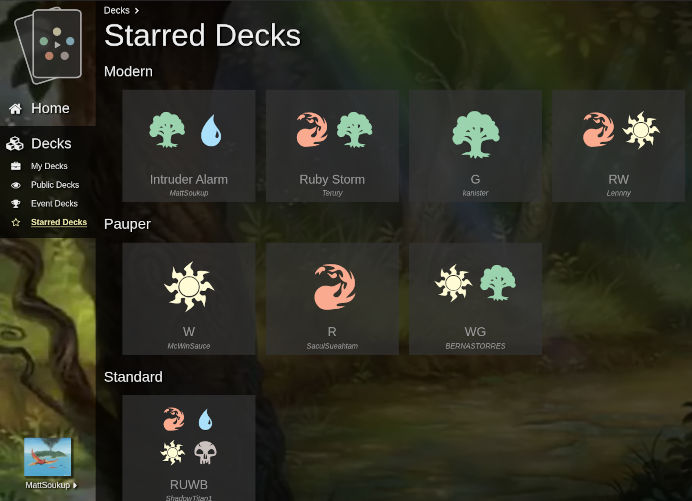
Starred Decks
To star a deck, visit the deck's page, click the options menu, and select "Star Deck" (or "Unstar Deck" to unstar a deck). Currently, a maximum of 100 decks can be starred per user.
In playtest mode, when selecting an enemy deck, you can now select from the list of starred decks in that format:
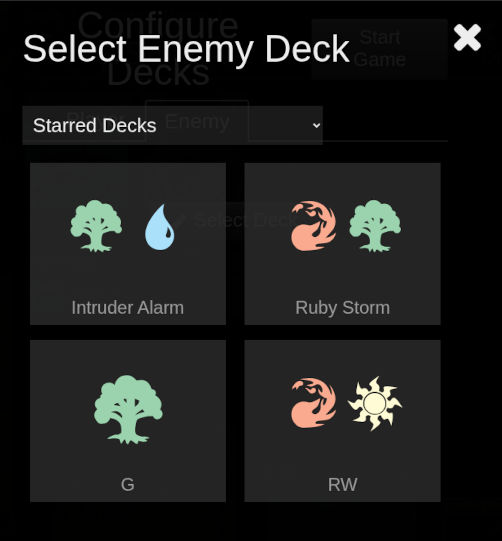
Select Enemy Deck - Starred Decks
• Event Decks Part Deux
To shore up the Event Decks release, a "Recent Events" pane was added to the "Home" and "Decks" pages:
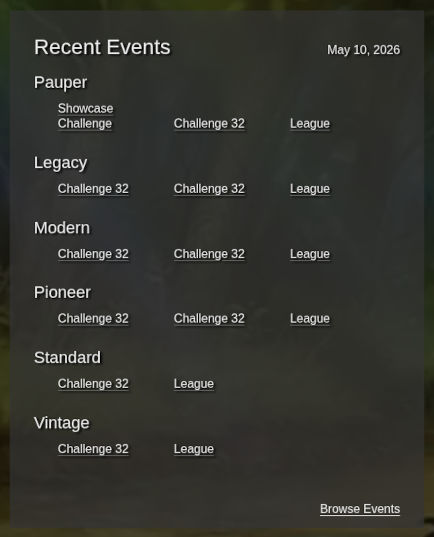
Recent Events Pane
It displays the previous day's events in each format.
Additionally, a drop down menu was added to the decklists on the Event page.
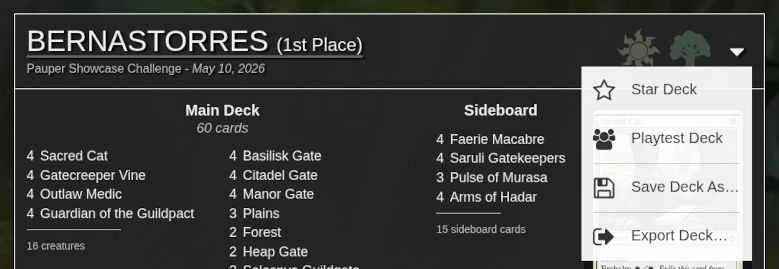
Event Decklist Menu
(A subtle, fixed underline was also added to the decklist header to better communicate clickability.)
Finally, event decks older than a year will be deleted. Event Decks are meant to be a continuous stream of the current metagame, and limiting to a year's worth will keep data fresh, limit storage, and help performance.
• Added Missing Eternal Expansions
The following expansion was added:
- Jurassic World Collection (REX)
• Miscellany
- Fixed issue where error messages could not be hidden
- Added "Save Deck As..." to the Public Deck and Event Deck Details pages
• Winning Your Next Tournament with MITB
Now, I'd like to share my process for tournament prep with MITB.
After selecting my deck for a tournament, I define the "stable of decks" to represent the metagame. Previously, I would scour third party sites for the top MTGO decks in each archetype. Each deck would be manually exported to a text file and then re-imported into MITB under "My Decks". (Unfortunately, this would often cause me to hit the My Decks limit.) Now, these same MTGO decks are searchable under Event Decks, and your "stable of decks" can be created by starring them. (If you still need to manually reconstruct a metagame deck under "My Decks", you can still star those, in addition to "Public Decks".)
Using the playtest feature, I solitaire my deck against each "Enemy" metagame deck. Just like the good ole' Apprentice days, the flow of each matchup can be learned quickly (even moreso by utilizing the keyboard shortcuts). From there, solid game plans can be drawn up.
Once I get a feel for the metagame, assuming the deck is worth pursuing, I select the final 75 and how to distribute them between the main and sideboard. Changes are made to the main deck to improve percentages against the top decks, and sideboard slots devoted to defeating the less common ones. Deck tweaking and sideboard planning is an art-form in itself! Watch out for Brewer's Madness!!! I.E. don't get caught up on the last couple changes and always do some testing against real opponents.
Once you arrive at your final masterpiece, export the deck to a WOTC deck registration PDF.
That's how I prepare for larger tournaments. Please let me know if you give it a try, and let me know how it can be improved!
Next on the docket is missing playtest functionality (tokens) and a basic lands dialog.
Thanks for reading!